Most businesses now have someone internally who has tried an AI tool and come back impressed. The gap between that moment and a workflow you can actually depend on is wider than it looks, and it is not a technical gap. It is a design and governance gap.
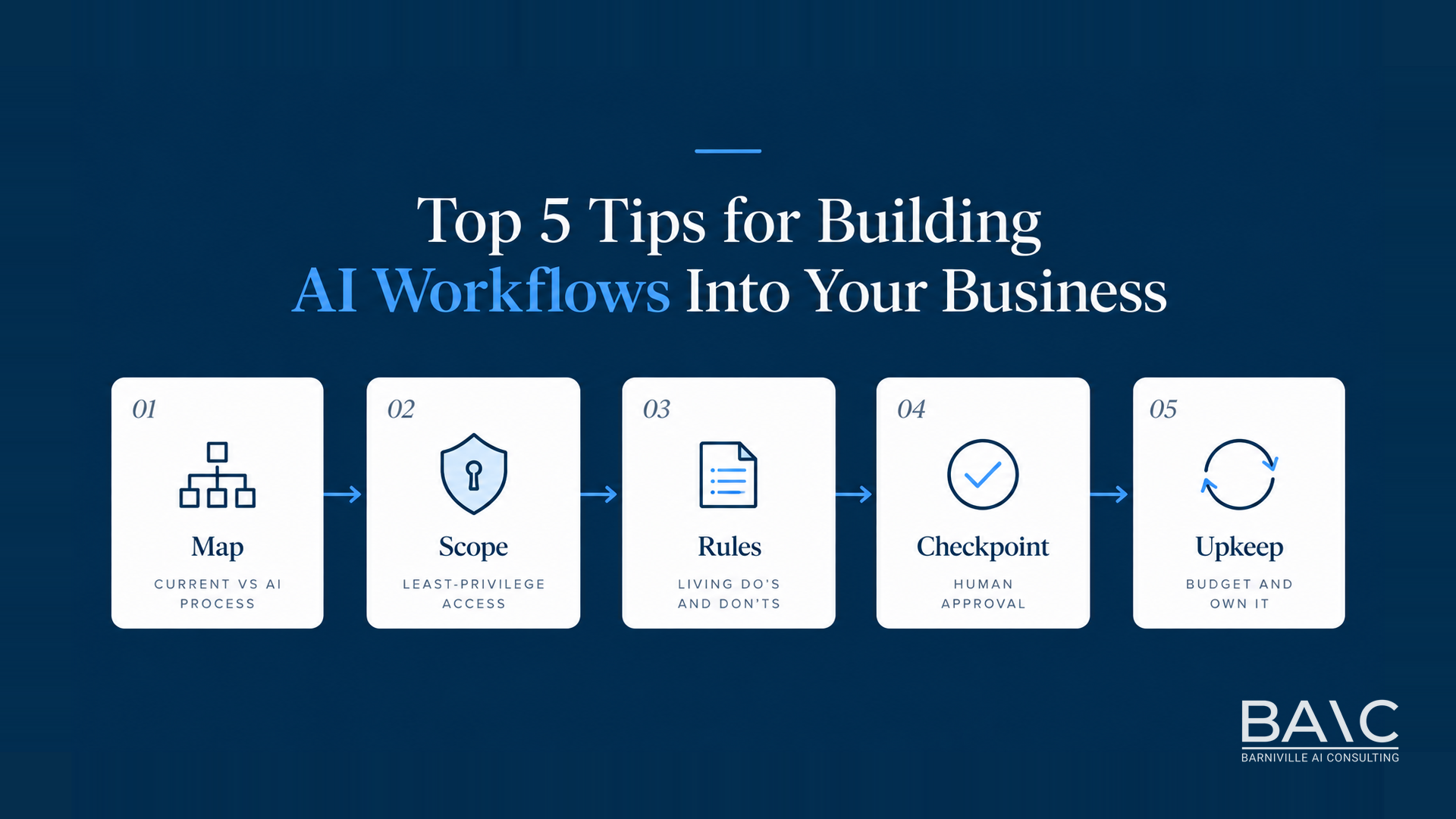
The five points below are ordered the way the work is actually done, from the first hour of a project to the ongoing cost after it goes live. If you are about to put an AI agent anywhere near a real process, this is the sequence worth following.
1. Diagram the current workflow, then diagram the AI-powered version
Before any tool is chosen, map the process as it runs today. Node by node, honestly: who touches it, what triggers each step, where it waits, where it goes wrong. Then draw a second diagram for the AI-powered version of the same process.
Put them side by side and two things become obvious. First, whether the AI version is genuinely simpler or just the same process with a model bolted into the middle of it. Second, where the real time goes, which is rarely where people assume.
Take invoice follow-up as an example. The current-state diagram might read: payment terms lapse, someone runs an aged debtors report, they cross-check which clients have already been chased, they write a reminder in the right tone for each relationship, they send it, they note it somewhere, and a week later they repeat the whole cycle. The AI version collapses several of those nodes: the ledger is the trigger, a drafted reminder appears with the client history already read, and a person approves or edits before anything leaves the building.
Alongside each diagram, write a time comparison. How long does the current process take per cycle, and what is a realistic estimate for the new one? Measure the first figure rather than guessing it, and be conservative with the second. A number you invented to justify a project will be quoted back at you later.
This step is not administrative overhead. IBM research found that organisations which redesign roles and processes around AI, rather than adding AI to an unchanged process, see roughly four times better return. The diagram is where that redesign either happens or does not.
2. Scope the agent's access at the infrastructure level, not the policy level
When the build starts, the first decision that matters is what the agent can reach. An agent should be able to execute the task in front of it and nothing broader, and that restriction belongs in the connectors to software (API or MCP), their scopes and the credentials themselves. Not in a prompt, and not in a written policy that assumes good behaviour.
This matters because scoped access is what keeps a problem contained. If something does go wrong, whether that is a mistake, an unexpected action or a connection being misused, the damage is limited to what that one credential could reach. Broad access turns a small issue into a business-wide one.
It also changes the question you need to answer at build time. Not "do we trust it", which is unanswerable, but "what is the worst thing this credential permits", which is a straightforward question with a checkable answer. The answer should be boring.
In practice that means task-scoped credentials rather than a shared admin key, read-only access wherever writing is not required, separate keys per workflow so one can be revoked without stopping the others, and no standing access granted in advance on the grounds that it may be needed later. It will be, and you can grant it then.
3. Give the agent a living do's and don'ts sheet, and let it help write it
With access scoped, the next question is how the agent knows what good work looks like in your business. The most reliable answer is unglamorous: a spreadsheet.
Before the agent does anything, it reads a sheet of do's and don'ts that you have filled in. How you write to customers. Which clients are never chased on a Friday. Anything it should always pass to a person instead of handling itself. After each run, it flags anything worth adding to the sheet, and you approve those before they go in.
This lets the agent build up a set of do's and don'ts over time, and because it reads that sheet before every run, the output gets better the longer it is used.
Describe it that way internally, too. "The agent learns from its mistakes" sets an expectation the system cannot meet and quietly discourages people from maintaining the sheet. "The workflow improves continuously through a living rules document, which someone owns" is both accurate and more likely to survive contact with your team.
The practical advantage is that the sheet is readable, editable and auditable by people who cannot read code. When the agent gets something wrong, the fix is a line in a spreadsheet rather than a support ticket.
4. Keep a human checkpoint in every workflow, including the ones that work
The temptation once a workflow performs well is to remove the approval step. Resist it, and note that the organisations furthest ahead on this have not removed theirs.
At Dreamforce this month, both AT&T and Crocs confirmed that their agent deployments still require human oversight, reported in the Anicca weekly update on 21 September 2026. Anthropic has said that Claude now leads 26 percent of its own internal R&D work, while around 90 percent of that still involves close human collaboration rather than autonomous execution. These are companies with more AI capability than almost anyone, and full autonomy is not what they are running in production.
The checkpoint does not need to be heavy. It needs to be positioned where a mistake would be expensive: before money moves, before anything reaches a client, before a record is deleted, before a commitment is made in your name. Everything upstream of that line can run unattended.
There is a second reason to keep it, beyond catching errors. The approval step is where your team sees what the agent is actually doing every day, which is where the entries for the rules sheet in the previous point come from. Remove the checkpoint and you lose the feedback loop along with the safety net.
5. Budget for upkeep, not just the build
The last point is the one most likely to be missed at proposal stage, and it comes from our own experience rather than any published figure.
An AI workflow is a maintained system, not a delivered project. Connectors to software (API or MCP) change and deprecate. Prompts drift as the surrounding business changes and nobody updates the instructions. Vendors update models underneath you, occasionally improving results and occasionally changing behaviour you had come to rely on. The rules sheet needs an owner or it goes stale within a quarter. None of this is a sign that something has gone wrong. It is the normal operating condition of software that depends on third-party services.
So treat the build cost and the running cost as two separate lines from the outset, and name the person responsible for the workflow after go-live. A project with no owner and no maintenance budget does not fail loudly. It degrades quietly over a few months until people stop trusting it and return to the old process, and the investment is written off without anyone quite deciding to.
Our view
None of the five points above is about model choice, and that is the point. The difference between an AI workflow that holds up and one that quietly falls over is almost always in the design, the access scoping, the rules and the ownership, not in which model sits at the centre of it.
At Barniville AI Consulting this is the work we do with clients: mapping the current process before anything is automated, scoping what the agent can reach, building the rules document, deciding where the human checkpoint belongs, and agreeing who owns it afterwards. If you are weighing up a first AI workflow, or you have one already running that nobody has looked at in a while, book a call and we will go through it together.